MAME Project: Software

Once I was satisfied that the hardware was all basically working the way I wanted it to, I decided to take a break from construction and delve into the software.  My goal was to get the software to work with my jury-rigged control panel and prove to myself that I could create a machine which doesn’t take a computer-literate person to operate, and can be controlled without a keyboard/mouse.

First, I downloaded the latest emulator from www.mamedev.org – seemed like an obvious thing to do.  This worked, but had some issues with being controlled exclusively from the control panel.  I still had to keep hitting the ESC key on the keyboard, and that just wouldn’t do.

So, I went to the support section on www.xgaming.com and they have an article on there entitled “Configuring MAME for X-Arcade use – The Easy Way”.  Now that sounded good!  They recommend using a slightly different version of the emulator called “Mame Plus!” – no problem, I downloaded and installed it and it worked just fine, following their simple directions.  I did of course have to put some ROMS into the mame/roms directory (more about this later).

The nice thing about using this version, and the associated control files that come with it, is it’s set up nicely for the joystick/button setup that I have (same layout as the xarcade device).  When you run a game, it comes up with a warning screen telling you that you need to own the ROM files because of copyright issues.  Then, it makes you type OK on the keyboard to proceed.  With this emulator version & associated control files though, you also have the option of moving player 1 joystick left then right (it says on the screen to do this) instead of using the keyboard.

Another important thing is exiting the game.  To do this, you hit the ESC key.  Fortunately, with this software setup you can hold the “2 player start” button and push the right pinball flipper simultaneously to exit also.  Voilla!  Keyboard has now been rendered totally unnecessary for game play.  I decided that was an odd key combination, and I changed mine so that you press “1 player start” and “2 player start” simultaneously to exit.  I may decide that’s a bad idea at some point, but it seems good for now (besides, if you read the bit about the wiring harness, you might remember that my right hand fllipper button is not hooked up because the wire is too short, and I was too lazy to extend it).  I also went into the mame.ini file and manually disabled the game info screen that comes up when you first launch a game (after you say OK to the ROM police).  To do that, I changed “skip_gameinfo 0” to “skip_gameinfo 1”.

Here’s a useful article which lists all the options in the mame.ini file, and what they do: CLICK HERE

If you really want to use the latest version, instead of the “Mame Plus!” version from xgaming, then edit the mame.ini file and in the “core input options” section, make sure you have “ctrlr xarcade” in there.  That should do all the control tweaking for you.

While the mame/mame+ user interface (UI) is workable, it’s not very pretty, and not very kid-friendly (or grandma friendly).  So, I looked around for other front-end programs.  There are quite a lot of them out there.  The one I decided to download and try was Hyperspin.  I’m not totally crazy about this front-end, but it does give me the ability to prevent users from bailing out and ending up with a windows desktop.  Also, it makes the game selection process more game-like than the mame UI.  I learned quite a bit about managing it and getting the menu selection pared down to a usable list (instead of 6000+ games in alphabetical order).  I’ll share that stuff later on.  For now, I’m satisfied that I can make this thing turnkey and it’s back to the hardware!

Next up: Extending the wire harness

By Tim Posted in MAME Tagged

May Contain Nuts – how inane!

Seen on a package of Cashews: “Product may contain nuts”.  Really?  I sure hope so.  Kinda makes you wonder what else it might contain, doesn’t it?

Are we really becoming so brain-damaged as a society that this sort of thing needs to be pointed out?  Are people with allergies to nuts also afflicted with stupidity and they don’t realize that Cashews are nuts?  I don’t think so – this is rather insulting to us all.

‘LizaMoon’ Mass SQL Injection Attack – FBI napping again?

If you haven’t read about this latest virus/scam, click here to check out a good summary on eWeek.com

Basically, this is a Rogue AntiVirus scam similar to ones we’ve all probably seen many times before.  Users are directed to a website that tells them about fake infections on their computer and won’t shut up about it until the user pays them for their fake software to “remove” these infections.

Here’s what I posted as a followup to the eWeek article:

It floors me that these type of scams are not immediately pounced upon by the FBI. Viruses that do annoying/destructive things are harder to track, but things like this which direct a user to a particular URL or set of URLS, and attempt to get money provide authorities with a nice fat trail to the perpetrators. That these things seem to exist for more than a couple of days, to me seems like a major failing on the part of the FBI.

No Budget, No Pay! S.388 – what a great idea

Barbara Boxer proposed a bill (S.388) for the Senate which prohibits Members of Congress and the President from receiving pay during Government shutdowns.  Wow – how rational!  It seems only fair to me that if they can’t do their jobs and deal with the budget properly, causing a government shutdown, then they too should share in the pain and not get paid.

One of the problems we have in government (in my humble opinion) is that too frequently, those making the rules don’t have any personal “Skin in the Game”.  So, there is no real incentive for them to do their jobs.  It’s just the nameless public that suffers, and who really cares about them, right?

This is a very simple bill – only 2 pages of double-spaced, very large type.  I think it would be criminal for this bill NOT to be put into force!

MAME Project: – Wiring the panel

The next step was to wire the panel.

Here’s a link to the button/joystick kit I used: CLICK HERE
Here’s a link to the keyboard encoder: CLICK HERE

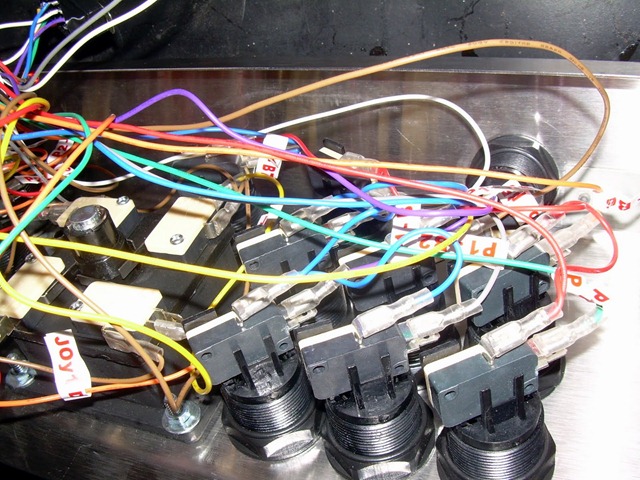
The XARCADE keyboard encoder came with a wiring harness, so it should be fairly simple, right?  The wires are labeled next to the small connector which plugs into the circuit board, and also they are labeled on the ends where they push on to the micro switches.  Each switch has 2 wires which go to the “COM” (common) and “NO” (normally open) connectors.  The “NC” (normally closed) lug is not used on any of the switches.  It doesn’t matter which wire you connect to COM and NO, as switches don’t have polarity.  It’s not physically possible to hook all the wires up as-is because of the way they are joined together with the labels.  They use common wires with multiple connectors on them, and all the commons are the same, so I took the labels off the switch end of the wires, and re-applied them just to the non-common wires, like this: 

DSCN3160

This enabled me to attach the wires to the switches easily, and then I took the common wires and wired them in whatever order was convenient.  For the joysticks, this meant running the common in a circle from one switch to the other until all 4 were connected.  You can zoom in on these pictures by clicking on them:

DSCN3157 DSCN3158

I didn’t try very hard to route the wires neatly, as I know I’m going to have to take all this off again in order to fill the holes in the panel and I’ll probably cover it with laminate or something.  What I did discover is that the wiring harness is really short!  This was a bit of a surprise as this is a small enclosure, so the buttons & joysticks are closer together than you’d probably want for a 2 player stand-up system.  I asked the manufacturer if they sold longer harnesses or harness extensions and was told that no, they don’t.  So, I’m going to have to cut into the harnesses and extend the wires myself – a mind-numbing task which I will probably not enjoy much.  For now, though, I wanted to find out if it’d work.  You know, proof-of-concept (aka: instant gratification)

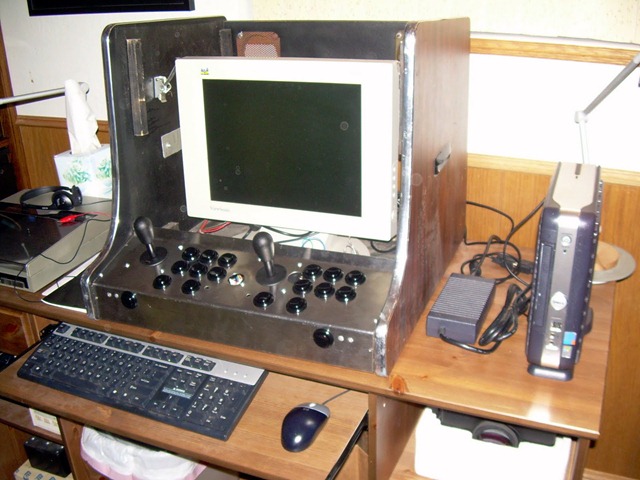
I brought the case inside the house (it’s winter and my garage has no heat), and set it up on my desk.  To the right you can see the diminutive Dell Optiplex I’m using as the CPU, and it’s power supply on the desk next to it.  I set a 15” flat screen monitor inside the box to get an idea for sizing and how it will all work.  They keyboard/mouse will not be present when the unit is completed, but they are pretty important for development.

DSCN3156

If you look down into the enclosure, you’ll see the keyboard enclosure PC board right behind the control panel.  Unfortunately, that’s where the monitor bezel needs to go.  You can see where the bezel slides in vertically by the guides on the sides.  The two white switches to the left of the PC card are the “1 player” and “2 player” start buttons.  I haven’t decided where I’ll put those, but I suspect to the right of the monitor.

I wired the right hand joystick/button cluster as “Player 1” as I figured that would be most comfortable for right-handed people like me.  For two-player mode, “Player 2” is on the left, and you’ll have to be bumping shoulders.  After fiddling with this for a while, I’m not convinced that the right hand cluster is most comfortable as I’d thought for single player use.  I’ll wait until I’ve got the monitor mounted properly to make that decision as the monitor will not be in the center of the box as it is now, it’ll probably be to the left (that was the original configuration of the box, and it seems like an OK one, though I suppose I could have the monitor more towards the right hand side.  Trail and error!)

DSCN3159

Clearly, I’m going to have to extend the harness – Grr!
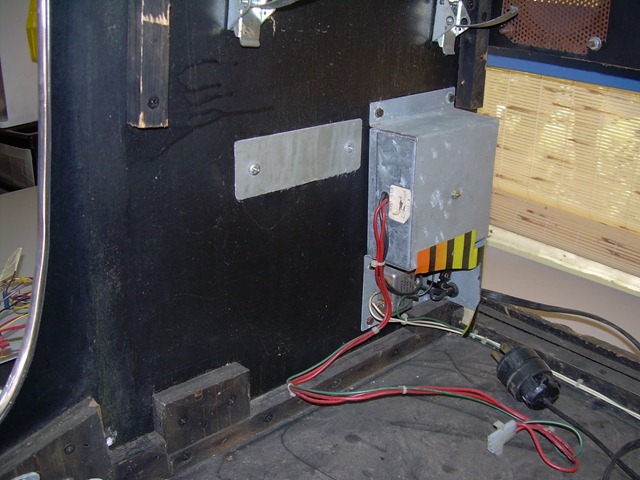
On the bright side, there seems to be plenty of room in the enclosure for the CPU and for the monitor.  I have a few of these flat-screen monitors I picked up surplus a couple of years ago, so my plan is to take one apart and mount the LCD to the front bezel.  I might have to re-make the bezel to fit the monitor screen, I haven’t measured that yet as I don’t know what the LCD panel is going to look like once I take it out of it’s aging yellowed plastic case.  Also, the power supplies attached to the walls of the enclosure are going to go away – I don’t need them.

I plugged the keyboard into the PC board, and plugged the wire from that board into the back of the Dell.  When I powered it up, everything worked fine and the system booted normally.  I’d installed a fresh copy of Windows XP and had installed all the Microsoft patches already.  I fired up Notepad and pressed each button in turn to make sure it “typed” the correct key.  All was fine except the right “flipper” button on the front – the wiring harness wouldn’t reach that, so I don’t have it hooked up.  Also, 2 of the switches on the joysticks needed a little adjustment to make them “release” properly when you let go of the joystick and it springs back to the center position.  To accomplish this, I just bent the trigger bars on the micro switches a bit with needle nose pliers.  Xgaming has a special “tester” program, but I didn’t bother to download it, as Notepad was quite sufficient to let me see what was going on.  The only keys that are difficult to test are the ones that generate Shift, Ctl and Alt.

I left the “mode” switch in “mode 1” (switch all the way at one end, nearest the yellow wire – finding that gem of info in the documentation took a while, and the switch is not labeled).  Mode 1 is the “factory” programming layout.  I don’t have any need to program it differently, so that works fine for me.

Next up: Software!

By Tim Posted in MAME Tagged

A flying car? Yes, and a new take on an old problem

There have been several different “flying cars” throughout the years, and it’s always been a dream of many people.  However, there have always been problems with the designs.  Usually, while they do fly, they are terrible on the road.  As a pilot, this sort of thing holds a particular fascination for me.

These guys decided to design a vehicle that was good on the road first, and then make it fly.  They use a ram-air parachute for the wing, and have created a really unique and clever vehicle.  Check out the video on their website.  Amazing stuff!

image

MAME Project: Hacking the control panel

Once I had the old console disassembled and cleaned up a bit, I needed to figure out a new layout for the controls.  The old console had a single joystick and a couple of buttons (no idea what game it used to play), but I wanted MORE.  I decided to go ahead and put two joysticks and button panels so that two player games could be played, as well as single player games.  Admittedly, you’d probably have to be pretty close friends with the person you are playing 2-up games with, but hey, that’s all part of the fun!

I also decided that I’d make the right hand player “Player 1” and the left hand player “Player 2” because when you are in single player mode, the right hand controls are more convenient for a right-handed person.  Coincidentally, I am right handed.  Imagine that.

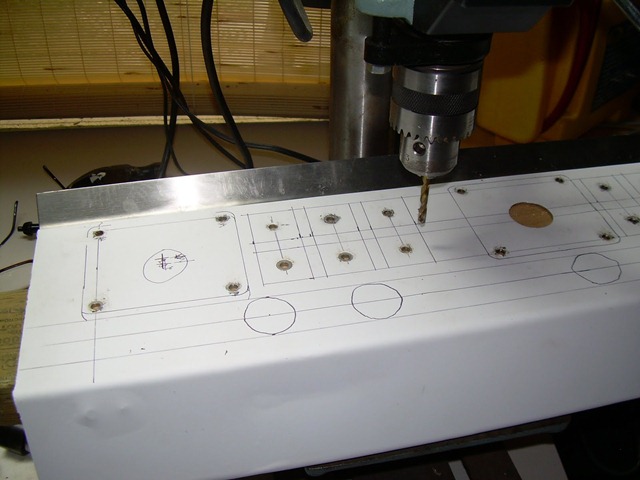
First step was to apply some self-stick white “contact paper” to the panel so that I could draw my new design on it and measure out where the holes need to be drilled

DSCN3105

This panel is steel, not aluminum so while it’s nice and rigid for game play, it’s a real pain to work.  Drilling it requires decent (read: expensive) drill bits, Oil, the slowest setting possible on my drill press, and lots of patience.  First I drilled pilot holes for all the buttons and the mounting screw holes for the joysticks (same size drill bit).  The somewhat round circles at the bottom of the picture outline existing holes that I’ll re-use.  The other existing holes in the panel will be ignored for awhile.  They don’t exist.  Work with me on this.

DSCN3135 DSCN3136

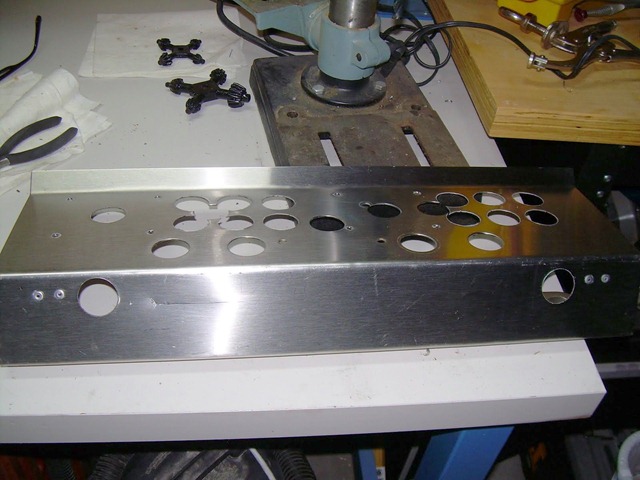
Once the pilot holes were drilled, I enlarged the holes so the bolt from my chassis punch would fit.  Note that I drilled two holes on the front of the panel for the “Pinball flipper” buttons which are used in some games.  Notably, the pinball games.  Believe it or not.

DSCN3137

A Chassis punch is absolutely the only way to go for creating large holes in sheet steel like this.  You apply muscle power to it and it bites through leaving a very nice neat hole.  This is a 1 1/8” hole, and it was a bit of a challenge to find a chassis punch that size.  I ended up getting a Greenlee punch for about $50

DSCN3138 DSCN3139

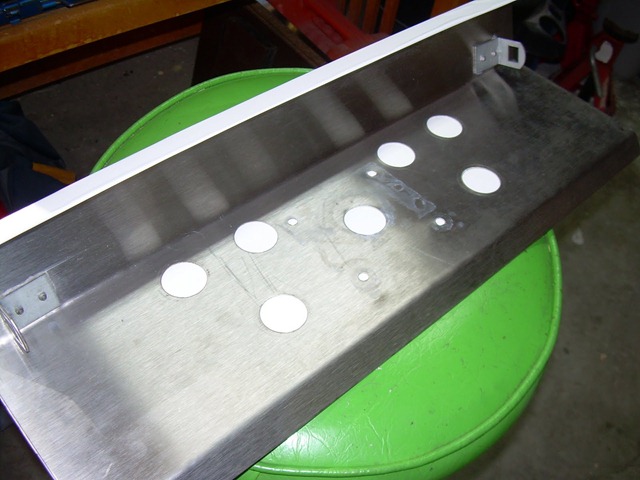
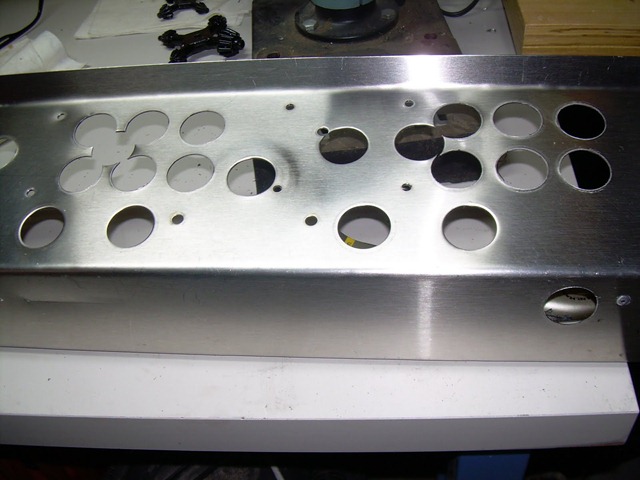
After I was all done punching, I took off the contact paper and washed the whole thing in the sink.  My wife was very understanding and never even gave me a sideways look.  Here’s what the final result looks like.  Again, ignore the extra holes.  I’ll get around to dealing with them later.  Right now, it’s proof-of-concept time.

DSCN3140  DSCN3142

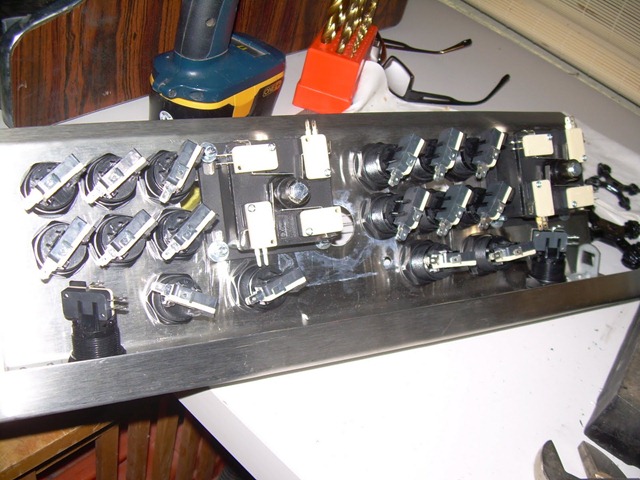
After a lot of fiddly screwing and tweaking, I got all my new parts installed on the panel:

DSCN3143

Unfortunately, even though I tried to leave room on the sides, I was not able to leave enough room, and the nifty clips that held the front panel on just wouldn’t work.  Sigh… oh well, they are history.  I’ll just hold the panel in place with good old fashioned screws.  After all, how often am I going to need to remove the panel and fiddle around underneath?  Probably not all that often.

DSCN3144 DSCN3145

Behind the panel goes this support which the screen bezel sits on.  It’s very tight up against the back of the panel, and my joystick connectors stick out a bit, so I had to notch out a bit of wood to allow for that.  On the right you can see a close up of the piece installed, and the joystick terminals peeking out.

DSCN3146 DSCN3147

Next up: Wiring the panel

MAME Project: bar-top video game console

I started a fun project, so I thought I’d share the pain here! The goal is to create a bar-top video game console which runs the MAME emulator and plays thousands of classic video games (like Pac Man, Robotron, Major Havoc, Galaxaga, etc).

A few years ago, I picked up a full-size arcade machine (Solitare actually, but I planned to gut it so I didn’t care what it was), and the guy threw in a small bar-top “shell” with no guts to speak of.  Recently, this project has been bouncing around in my noggin and I decided to do the small one first, as I had an old very small form factor DELL computer which I could hopefully use for the project.

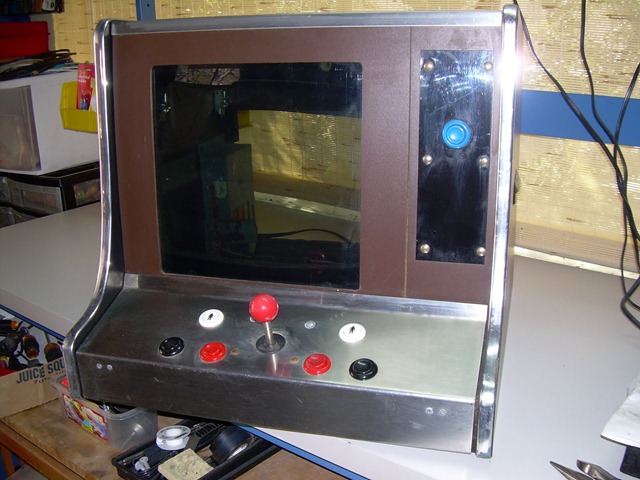
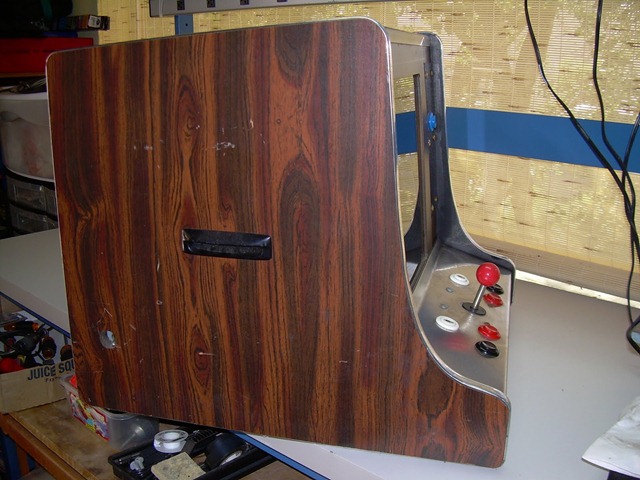
Here are some pictures of the cabinet after cleaning most of the crud off it:

DSCN3095DSCN3096DSCN3097

It’s mainly pressboard laminate construction, and some of the pressboard has been damaged by water, so it’s swollen and brittle.  I’ll have to replace those parts, but I want to do a “proof of concept” and make sure everything fits in here that I want to put in, and that it’s usable for friends and family without a degree in computer science.

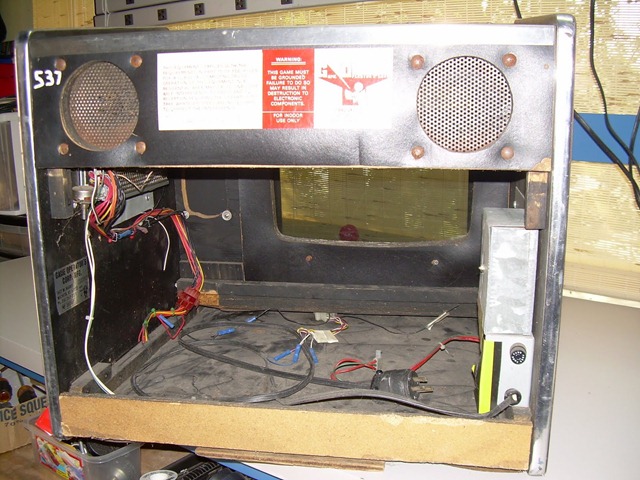
The top unclips and lifts off, and then the monitor bezel and the piece beside it with the blue “mystery button” on it just lift out.

DSCN3098 

I removed the control panel. It’s held in place with these nifty clips so it just pops out easily.  I am not sure I’ll have room for those clips in my new unit, but we’ll see.

DSCN3100

There are a couple of power supplies which I’ll leave for now (probably won’t need them, and I’ll remove them later)

 DSCN3101 DSCN3102

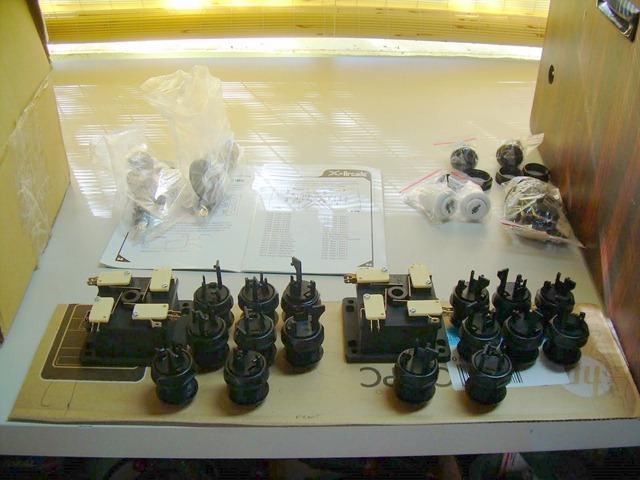
I removed all the old controls from the steel panel, and to the right you see my collection of NEW XArcade parts.

 DSCN3103 DSCN3104

To the right, you can see I am fiddling around with control layouts using a piece of cardboard for my doodling. 

Next up: Carving up the old panel to fit my new layout